

OCT 28 - 29, 2026
UGANDA
( SPEAKER )
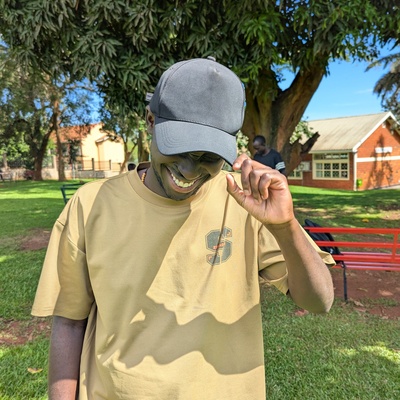
Okurut Joe
Carthigan
( About the speaker )
A developer with intermediate experience in Flutter, C++, and hardware integration via Arduino. I enjoy building seamless cross-platform applications and bringing hardware projects to life with clean, version-controlled code using Git. I am always eager to learn, build, and connect with fellow developers in the tech community.
( Session )
Building a Music DAW on Android: JNI, Real-Time Audio, and OpenGL Rendering
Description:
Caustic is a rack-mount synthesizer and music production studio running entirely on Android — with a native C/C++ audio engine, OpenGL ES 2.0 UI rendering, USB MIDI controller support, and dual audio backends for low-latency real-time processing. No cross-platform framework. No Unity. Just Kotlin, Java, and C talking directly to the Android hardware.
In this talk, I'll walk through the architecture and engineering decisions behind building a full DAW as a single-Activity Android app:
1. JNI Architecture — Bridging Kotlin and Native C/C++
- Designing a clean JNI bridge (CausticNative.java — 30+ native methods) that separates the Kotlin lifecycle layer from the native audio engine
- Loading libcaustic.so across 4 ABIs (arm64-v8a, armeabi-v7a, x86, x86_64) with a fallback extraction path for edge-case devices
- Managing engine state (IDLE → RUNNING → PAUSED → ERROR) across the JNI boundary without leaking native resources
2. Real-Time Audio — OpenSL ES vs AudioTrack
- Why OpenSL ES gives you 192-sample buffers and sub-5ms latency, while AudioTrack is the reliable Java fallback at configurable 64–4096 sample buffers
- Running dual audio backends and switching at runtime based on device capability
- Input audio from the microphone: mono/stereo detection, wait()/notifyAll() vs polling for the recording loop, and why the wrong choice kills battery life
- Audio configuration: 44100 Hz, 16-bit PCM — and why you don't deviate from this on Android
3. OpenGL ES 2.0 UI — Everything is a Texture
- The entire Caustic UI is rendered natively via GLSurfaceView + a custom CausticRenderer — the Java/Kotlin layer provides the surface and forwards input events, nothing more
- Multi-touch dispatch: handling up to 10 simultaneous touch pointers and routing them to the native renderer
- Mouse wheel, key events, and hardware keyboard support for tablet/desktop use cases
- Lifecycle-aware GL surface management: pause, resume, and context loss recovery
4. USB MIDI — Hardware Controller Support
- Scanning for USB MIDI devices via the Android USB Host API
- Detecting standard USB Audio Class MIDI interfaces vs vendor-specific protocols (Roland, Yamaha)
- Permission handling, attach/detach broadcast receivers, and bulk USB transfers for input/output threads
- Why polling-based USB scanning (USBConnectionScanner at 1000ms intervals) was replaced with event-driven detection
5. Android Lifecycle at Scale
- Single-Activity architecture managing: native engine lifecycle, GL surface, audio threads, MIDI devices, file intents, permissions, wake locks, and immersive mode
- Quick-save/quick-load on onPause/onResume — because losing a user's music project is unacceptable
- File intent handling for .caustic project files and .causticpack content packs via FileProvider
- Licensing: device fingerprinting (CRC32 of UUID), companion app unlock (caustickey), and in-app purchase integration
Key Takeaways:
1. How to design a JNI bridge that keeps Kotlin clean and native code isolated
2. Real-time audio on Android: OpenSL ES, AudioTrack, buffer management, and latency trade-offs
3. OpenGL ES 2.0 as a UI engine — when it makes sense and how to handle input routing
4. USB MIDI device discovery and the difference between standard and vendor-specific protocols
5. Managing complex Android lifecycle with native threads, GL surfaces, and hardware peripherals
This talk is for Android developers who want to understand how to build apps that push Android's native capabilities — audio, graphics, USB, and JNI — beyond the typical UI framework approach.